WordPress Review 2025: Strengths, Limitations and Key Features
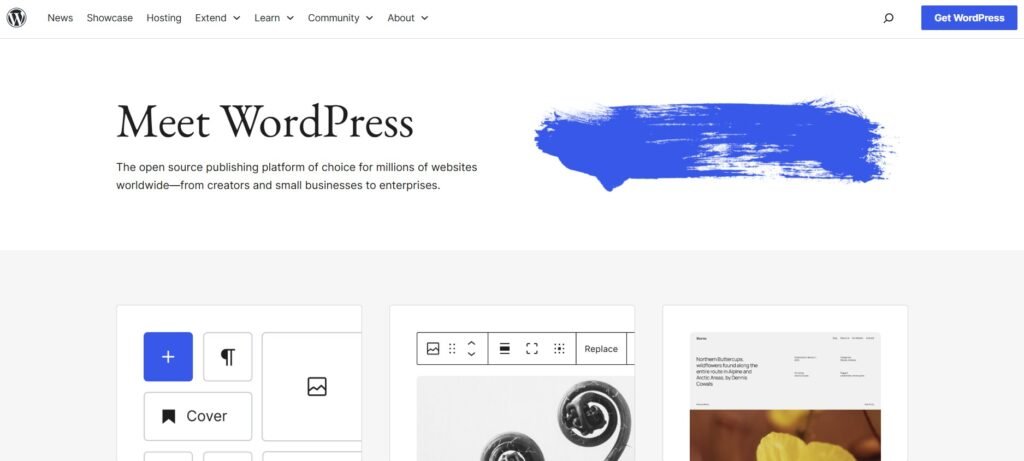
WordPress has been the default answer to “How do I build a website?” for more than a decade. It powers blogs, corporate sites, portfolios, online magazines and full-scale eCommerce projects. Many agencies still start every proposal with “We’ll build it on WordPress,” and for good reason – the ecosystem is huge and the platform itself is extremely flexible.
But in 2025 the picture is more nuanced. Competition from website builders like Wix has grown, expectations around ease of use are higher, and a lot of small business owners quietly admit they feel overwhelmed by plugins, updates and hosting. This review looks at what WordPress is really good at, where it becomes a burden, and in which cases it makes sense to consider simpler tools such as Wix instead.
What WordPress Is Designed to Be
WordPress.org (self-hosted WordPress) is a content management system rather than a hosted SaaS product. You install it on a server, pick a theme, add plugins and build whatever you need on top of that. The idea is simple: you own the site, the code and the content, while WordPress provides the engine and the admin area to manage it.
That model gives you a lot of freedom. You can use WordPress as a blog, a business website, a membership platform, an eCommerce store, a learning portal or a mixture of all of these. With enough time, budget and the right developer, WordPress can be turned into almost anything. That flexibility is one of the reasons it still dominates the web in raw numbers.
Where WordPress Still Shines
The biggest strength of WordPress is flexibility. There is a plugin for almost every feature you can imagine: SEO suites, contact forms, booking systems, memberships, learning platforms, advanced galleries and more. Need a specific integration? There is a good chance someone has already built it. The same goes for themes: thousands of free and premium designs give you a wide range of starting points.
Another major plus is content management. WordPress was born as a blogging tool and that heritage still shows. Publishing, categorising and archiving content is one of the things it does very well. If your site is heavy on articles, guides or news, WordPress gives you powerful tools to keep everything organised.
For developers and agencies, WordPress is also familiar territory. A huge community, extensive documentation and a mature ecosystem of plugins and themes make it comfortable to work with, especially for teams who have been building with it for years. If you read our guide to WordPress alternatives for non-technical users, you will notice that many of them are trying to copy this flexibility – but not all succeed.
The Hidden Costs and Pain Points
The same qualities that make WordPress powerful also create friction for non-technical site owners.
Because WordPress is self-hosted, you are responsible for hosting, updates and security. That means choosing a hosting provider, keeping WordPress core updated, updating plugins and themes, and reacting when something breaks. For agencies this is normal. For a small business owner whose main goal is “get more clients,” it can become a steady source of stress.
Plugins are another double-edged sword. Each plugin solves a problem, but every extra plugin adds more moving parts. Conflicts between plugins, performance issues, abandoned extensions and compatibility problems after updates are all common complaints. Over time, a simple WordPress site can turn into a fragile puzzle of add-ons that only “that one developer” understands.
Design changes can also be harder than expected. While many themes advertise drag-and-drop builders, there is often a learning curve, and large visual changes might still require CSS tweaks or template edits. If you just want to log in once a month to update content, WordPress can feel heavier than it should in 2025.
This is where platforms like Wix, which we explore in more detail in our Wix in-depth review for small businesses, start to look attractive: hosting, updates, templates and core features all live in one place, with fewer decisions to make.
Pricing: Not Just the Hosting Bill
WordPress is technically free, but running a real-world site on it rarely is.
You pay for hosting, a premium theme in many cases, and often several paid plugins (SEO, caching, forms, booking, backups, security). You may also pay a developer or agency to set everything up and troubleshoot issues when something goes wrong. The monthly or yearly cost might still be reasonable, but it’s made up of many separate pieces.
The important part is that this cost includes your time and attention. Even if you outsource most of the work, you still have to think about renewals, updates and decisions around which tools to use. In a direct WordPress vs Wix comparison, one of the most noticeable differences is that Wix bundles many essentials into a single subscription, while WordPress spreads them across multiple vendors.
Who WordPress Still Works Well For
Despite these drawbacks, WordPress is far from obsolete. It remains an excellent choice if:
- You need a very custom site or app-like behaviour that simple builders cannot provide.
- You have access to a reliable developer or in-house team.
- Content is central to your strategy and you want deep control over structure and SEO.
Agencies, publishers, tech-savvy entrepreneurs and organisations with IT support can get a lot of value out of WordPress. For them, the extra complexity is a fair trade for maximum control.
When WordPress Becomes Too Much
On the other hand, there are clear signs that you may have outgrown WordPress – or more precisely, that WordPress has become more platform than you really need:
- You log in and feel worried about updates, warnings and plugin notices.
- You postpone changes because “I don’t want to break something.”
- You rely on a developer for every small tweak.
- You pay for features you barely use, simply because they came with a “powerful” theme or plugin bundle.
If that sounds familiar, it may be time to look at platforms optimised for simplicity and day-to-day editing rather than for endless extensibility. Wix is one of the most popular destinations in that category, and in our detailed Wix review for ex-WordPress users we show exactly what changes if you switch.
Thinking About Moving from WordPress to Wix
The good news is that if you decide WordPress is no longer the right tool for you, you do not have to throw everything away and start from a blank page. A structured WordPress to Wix migration can bring your pages, content and design concept over to a simpler, fully hosted environment where you no longer worry about plugins, updates or server errors.
On wp2wix.com, our done-for-you WordPress to Wix migration service is built exactly for this scenario: we take over the technical work of analysing your current site, mapping pages, recreating the design within Wix, setting up SEO basics and making sure redirects are handled correctly, while you concentrate on the business side.
To make an informed decision, we also recommend reading the full WordPress vs Wix comparison article. Once you see how the platforms differ in practice, it becomes much easier to decide whether you should keep investing into your WordPress setup or let it evolve into a lighter, easier-to-manage Wix site.