Wix Review 2025: Tools, Benefits and Real-World Use Cases
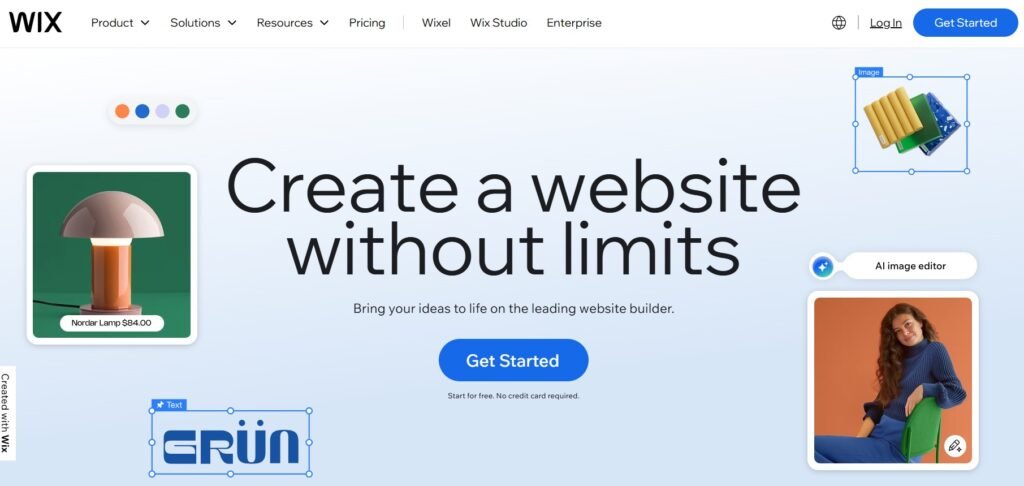
Wix has evolved from a simple drag-and-drop website builder into a full platform that can support small business sites, portfolios, booking-based services, content hubs, and many ecommerce projects. In 2025, it is one of the most common “landing spots” for people leaving WordPress, especially when the goal is to reduce maintenance and make editing easier for non-technical teams.
This review looks at Wix from a practical perspective: what it does well, where the trade-offs are, how the platform feels day to day, and who benefits most from switching. If you are still unsure whether Wix is truly a better fit or you may even need a more full-featured alternative to WordPress for your situation, keep reading the article.
What Wix Is Designed to Be
Wix is a hosted website platform. That means Wix provides hosting, security, updates, and the website editor as a single product. You log in, choose a template, build pages visually, and publish. You do not install software, you do not update plugins, and you do not manage a server.
For many small businesses, this is the entire point. The platform is designed for owners and teams who want to build and update a real website without turning the website into a technical hobby. Wix is not trying to be a developer-first framework. It is trying to be a business-first tool.
Where Wix Feels Strong
One of the first things you notice in Wix is how quickly you can go from idea to a live page. The editor is visual, you can see what you are doing, and changes feel immediate. For businesses that need to publish offers, update services, add testimonials and refresh content often, this is a genuine advantage.
Another strength is the “all-in-one” nature of the platform. Your website, hosting, templates, core features, and many business tools live under one roof. This is exactly what WordPress site owners often miss when they find themselves juggling separate vendors for hosting, themes, backups, security plugins, caching plugins, form plugins, and analytics. Our WordPress review explains why that plugin-heavy model can become stressful over time, especially for non-technical owners.
Wix also has a wide library of templates and design blocks. Many of them are polished enough that a small brand can look professional without hiring a designer. You can build a clean brochure site, a portfolio, or a service-based site with booking and payments without stitching together multiple third-party tools.
For service businesses, Wix often shines because it includes business-oriented features that WordPress users usually implement via plugins. Scheduling, basic CRM functions, contact forms, email campaigns, and payment collection can be handled within the Wix ecosystem. The result is a simpler workflow for teams who just want to run the business.
SEO and Content: Better Than People Assume
Wix used to have a reputation for weak SEO years ago. In 2025, that reputation is outdated for most typical small business use cases. Wix gives you control over page titles, meta descriptions, indexation settings, structured data support in many templates, image alt text, URL slugs, redirects, and site maps. It is not the same level of open-ended technical control as WordPress, but for many local businesses and portfolios it is more than enough.
If your site is content-driven, Wix can work well for a focused blog and a set of landing pages. However, for very large editorial sites or projects that require deep custom taxonomy and complex content architecture, WordPress can still be the more flexible base. That difference between the systems becomes clearer when you test each of them independently.
The Trade-Offs You Should Know
Wix is not a perfect fit for everyone. The biggest trade-off is that you operate within Wix’s ecosystem. You do not have the same level of “own everything” freedom you get with WordPress. You cannot install arbitrary server-side software, and deep custom functionality is limited compared with an open-source CMS.
Another real-world limitation is that Wix can become less convenient for highly complex projects. If your site depends on custom post types, advanced database relationships, complex membership logic, or very specialized integrations, Wix may feel restrictive.
Wix pricing is also something to think about. You pay a subscription, and advanced business features depend on plan level. That price can be totally reasonable for an all-in-one solution, but it feels different from WordPress where costs are split across hosting, plugins, and development. People often underestimate WordPress costs because they are scattered, and overestimate Wix costs because they are bundled into one visible number.
Who Wix Is Best For in 2025
Wix tends to be the best fit for businesses and individuals who value simplicity and speed of editing over maximum technical control. It is especially strong for local service businesses, consultants, photographers, creators, small agencies, restaurants, clinics, and anyone who needs a solid site with clear CTAs and the ability to update content easily.
It also works well for teams where multiple people need to manage the site without breaking it. This is a common WordPress pain point: once a site becomes a web of plugins and theme settings, owners get nervous about letting staff edit it. Wix reduces that fear by limiting complexity and providing a more guided environment.
Migrating from WordPress to Wix: What Changes in Practice
For most WordPress owners, the move to Wix is driven by lifestyle and operations, not by “features.” They want fewer updates, fewer plugin conflicts, less reliance on developers, and an easier way to publish new content or services.
A well-planned WordPress to Wix migration typically includes recreating your site structure, rebuilding key pages within Wix templates, moving text and media, matching your current branding, and handling URL redirects to protect SEO. In many cases, the end result is not just a copy of the old WordPress site, but a cleaner, more focused version that loads well and is easier to maintain.
If you are considering the switch, wp2wix.com offers a done-for-you WordPress to Wix migration service where the goal is to preserve what matters while removing the technical baggage that often builds up on WordPress sites over time.